Delete a cruise
How do I delete a cruise?
Only its creator deletes a cruise, not the co-skippers. With the cruise, all connected data is deleted irrevocably: pictures, logbook, routes and all other cruise data. Ship data and the user accounts of the crew remain. A cruise that has already been billed cannot be deleted.
- Open the cruise and tap Cruise data in the cruise hub.
- At the top, next to the cruise picture, tap the bin (1).
- In the confirmation prompt, type the name of the cruise exactly as it is spelled (1).
- Tap Yes (2). With Cancel (3) everything stays as it is.

- Delete cruise – only the creator of the cruise sees the icon
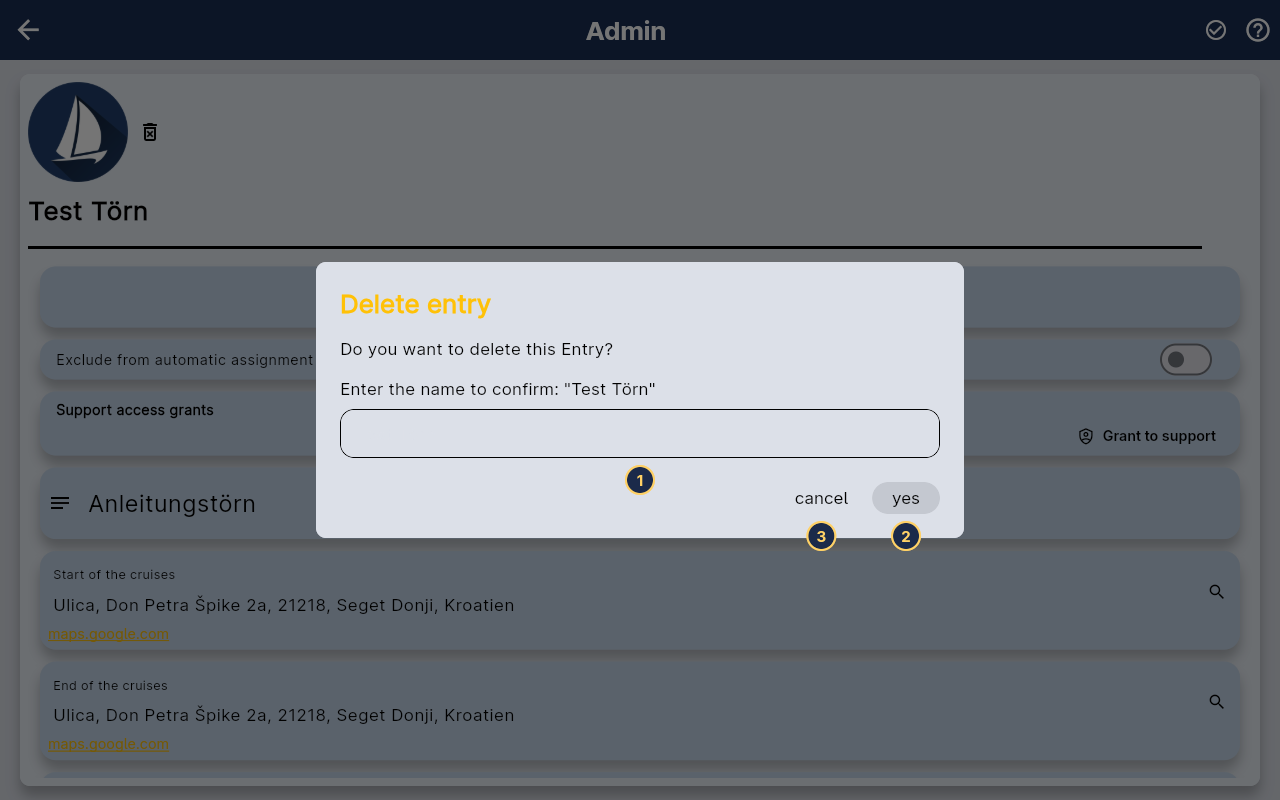
- Name of the cruise – type it exactly as it is spelled to confirm
- Yes – deletes the cruise for good
- Cancel – nothing happens