Who cooks when
Under Recipe you see the cooking plan of the cruise: which dish there is on which day and who cooks it. Whoever is entered as cook can adjust their recipe and the ingredients themselves.
How to get there
Open the cruise and tap the Recipe tile in the cruise hub. All crew members can see the plan. The skipper creates dishes and appoints the cook under Who cooks when (provisioning); only a crew member can be entered as cook.
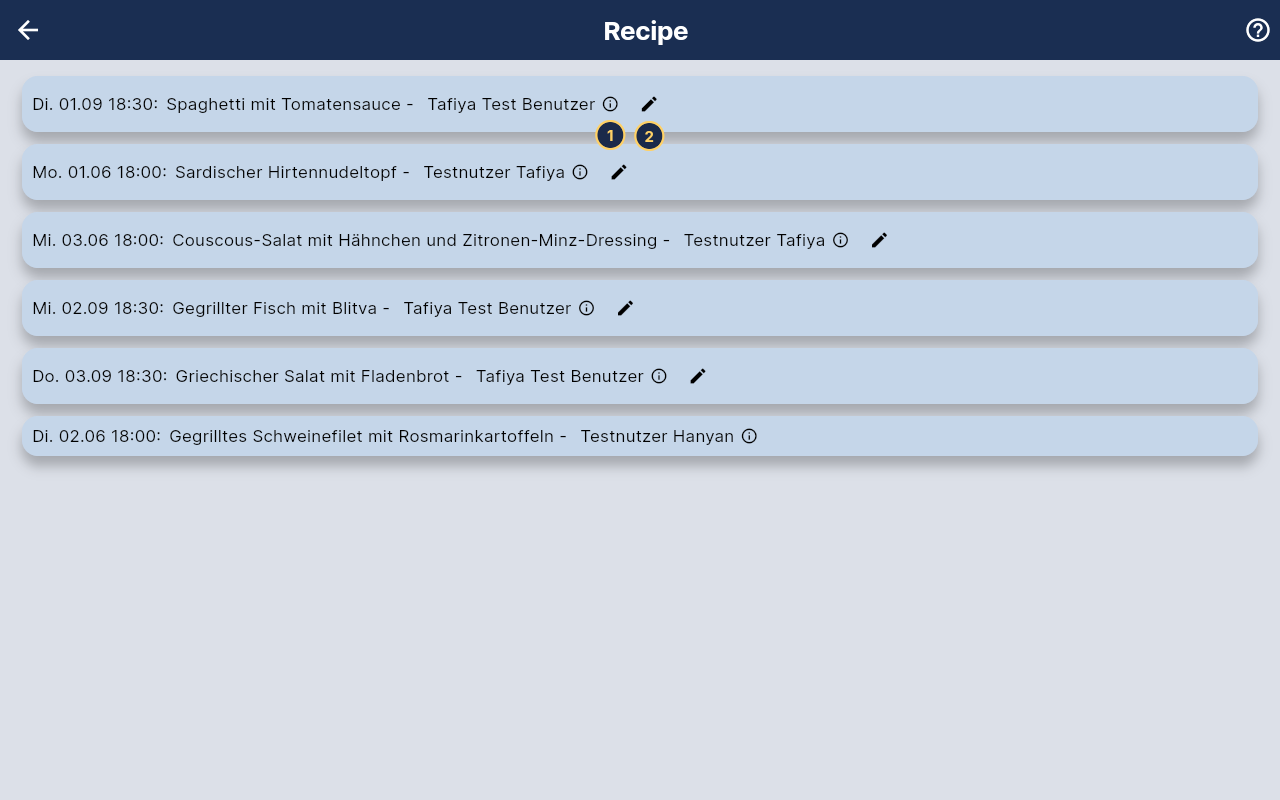
- Instructions – shows the preparation; a tap on the row opens it too
- Edit – only for your own dish: change recipe and ingredients
Read the instructions
Tap the row of a dish or Instructions (1). A window shows the preparation.
Edit your dish
For the dish for which you are entered as cook, Edit (2) appears.
- Tap Edit (2).
- Change What (2) and Instructions (3) as needed.
- With Add ingredient (4) you add an ingredient with quantity, unit and Category (5). With Remove ingredient (6) you take an ingredient out again.
- Tap Save (1). The skipper receives a notification about your change.
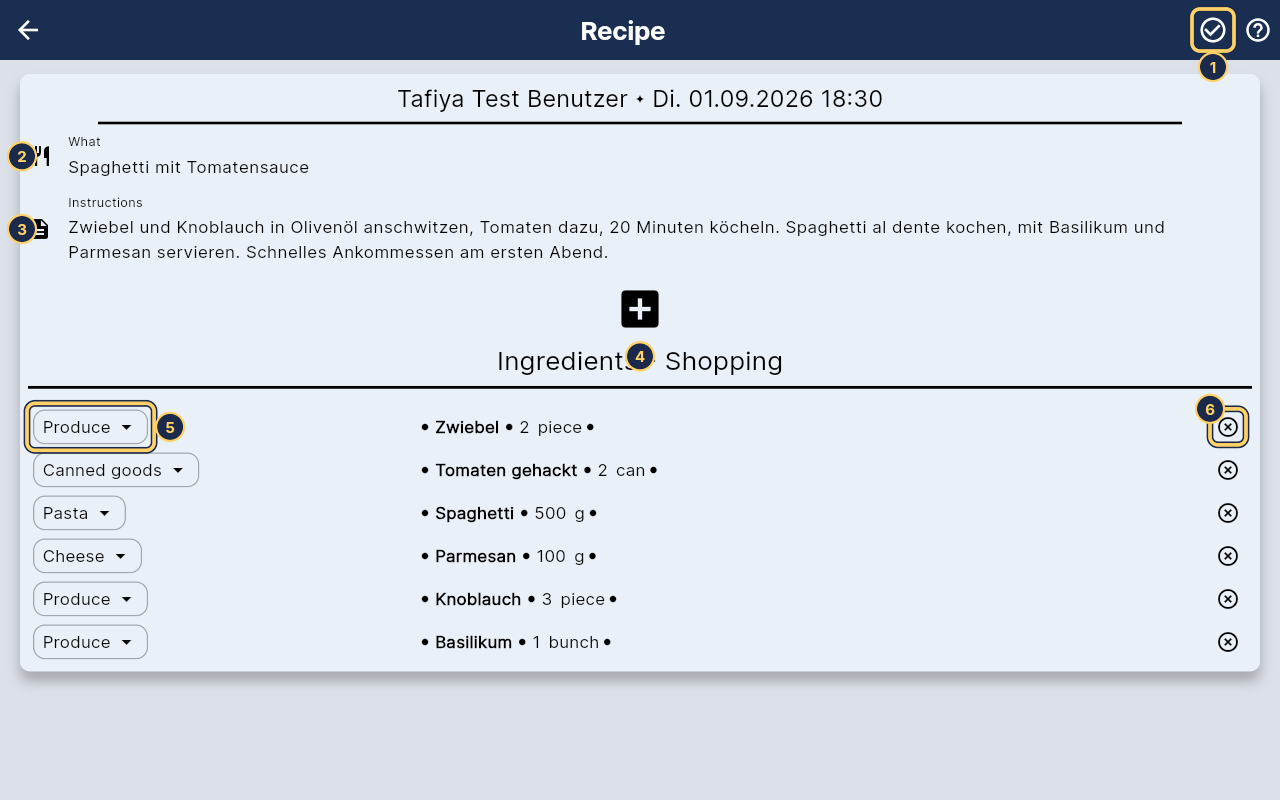
- Save – keep the changes; the skipper receives a notification
- What – name of the dish
- Instructions – the preparation
- Add ingredient – create a new ingredient with quantity and category
- Category of the ingredient for the shopping list
- Remove ingredient
Ingredients the skipper has already booked on a shopping list are marked with a shopping trolley and can no longer be changed here. Only the skipper sets the cook and the cooking date.
See also
- Who cooks when (provisioning): plan dishes, book ingredients on the shopping list.
- Shopping list: buy the ingredients together.