Change password
If you have forgotten your password, for instance because you have not been in Tafiya for a while, you set a new one. To do so you request a change link by e-mail and then set the new password in the app.
How to get there
Tap Password ? on the login screen. This works without logging in.
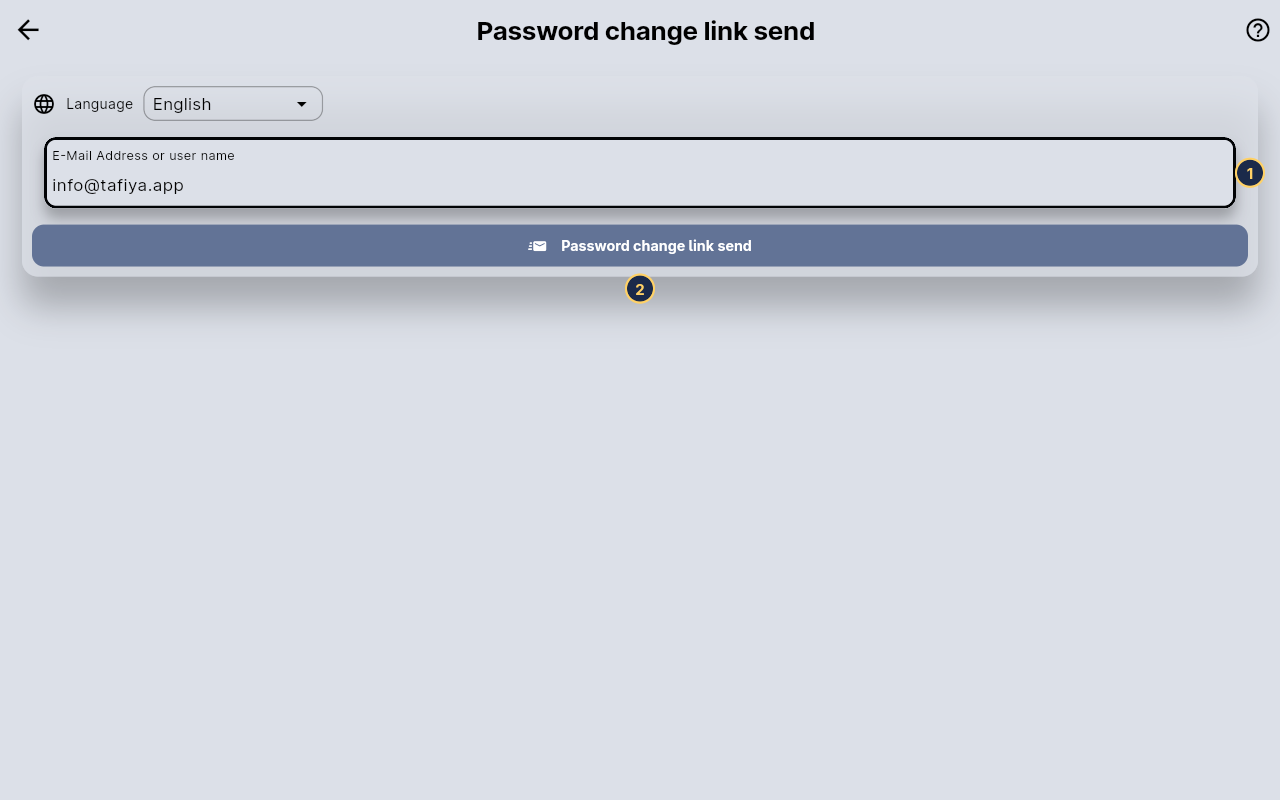
- E-mail address of your account; taken over from the login
- Password change link – sends you an e-mail with the link
Request a change link
- Check the e-mail address (1). The app takes over what you typed in the login.
- Tap Password change link (2).
- Open the e-mail on the same device and tap the link. The link is valid only for a limited time.
If no e-mail arrives, check the spam folder and whether the address is spelled correctly.
Set a new password
After you click the link, the app jumps to this screen and shows your e-mail address at the top.
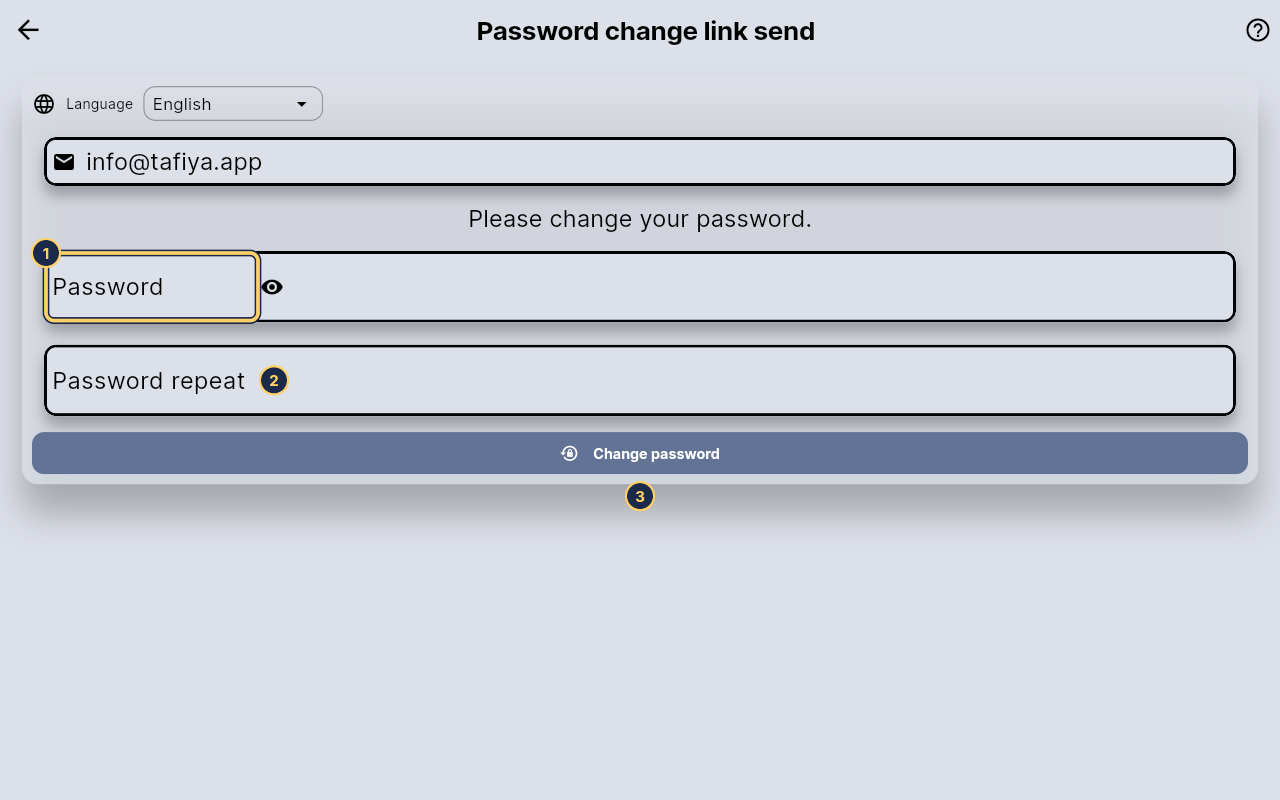
- Password – the new password, at least 6 characters
- Password repeat
- Change password – saves the new password; afterwards you log in with it
- Enter the new password (1), at least 6 characters.
- Repeat it (2).
- Tap Change password (3).
- Log in with the new password.