Seamarks & signals
Under Seamarks & Signals you look up seamarks, light characters and sound signals, even without internet. You identify an observed light by its rhythm, a heard sound signal by its sequence of sounds, have a photographed seamark recognised by the AI and find the INT1 chart symbols.
How to get there
Open the cruise and tap the Seamarks & Signals tile in the cruise hub. The catalogue is open to all crew members; the skipper also reaches it directly from the navigation chart.
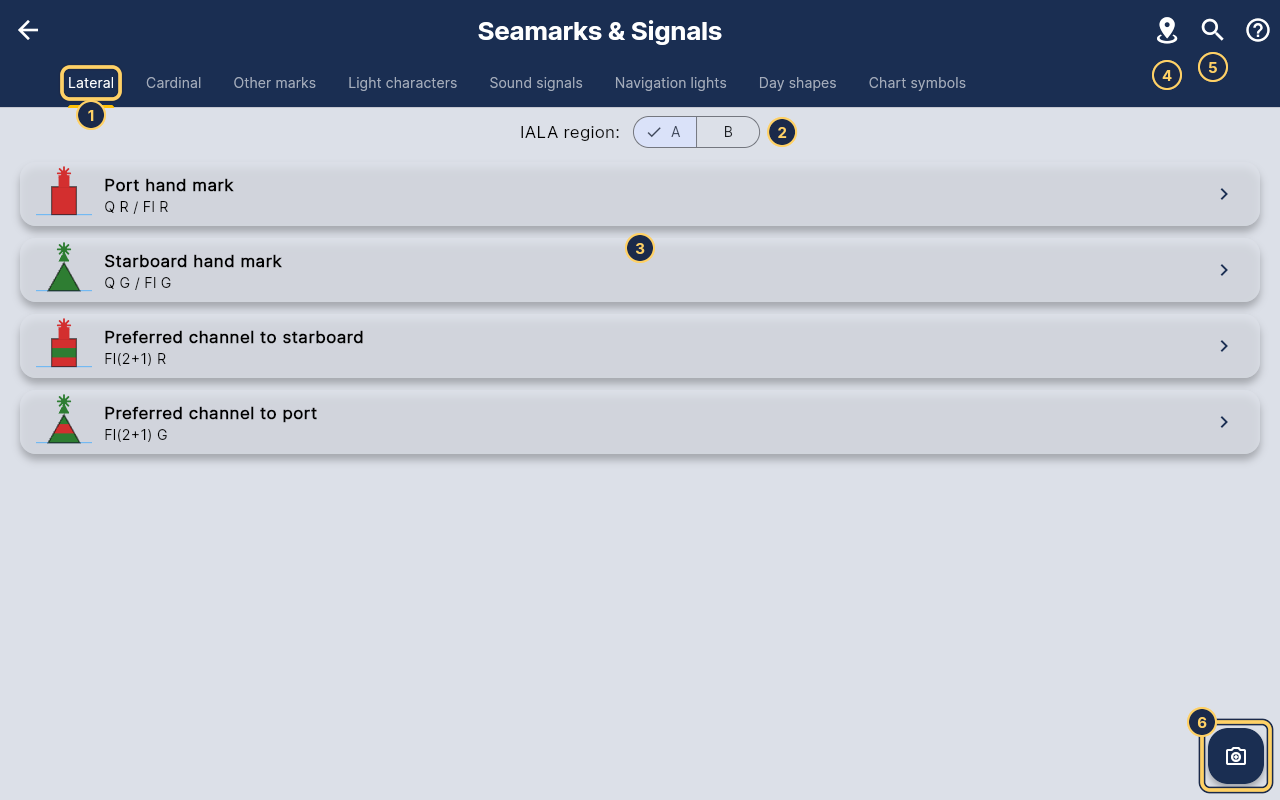
- Categories – lateral, cardinal, other marks, light characters, sound signals, navigation lights, day shapes and chart symbols
- IALA region – A (Europe) or B (Americas) for the lateral marks
- Seamark – tap for picture, light character, behaviour and mnemonic
- Lights nearby – lights around your position with distance and bearing
- Search – search the whole catalogue by name or light character
- Photograph a seamark – have a seamark identified by the AI from a camera shot or gallery picture
Look up seamarks
- Choose the category at the top (1): Lateral, Cardinal, Other marks, Light characters, Sound signals, Navigation lights, Day shapes or Chart symbols.
- For the lateral marks you set the IALA region (2): A for Europe, B for the Americas.
- Tap a mark (3). The detail view shows picture, light character, the correct behaviour and a mnemonic.
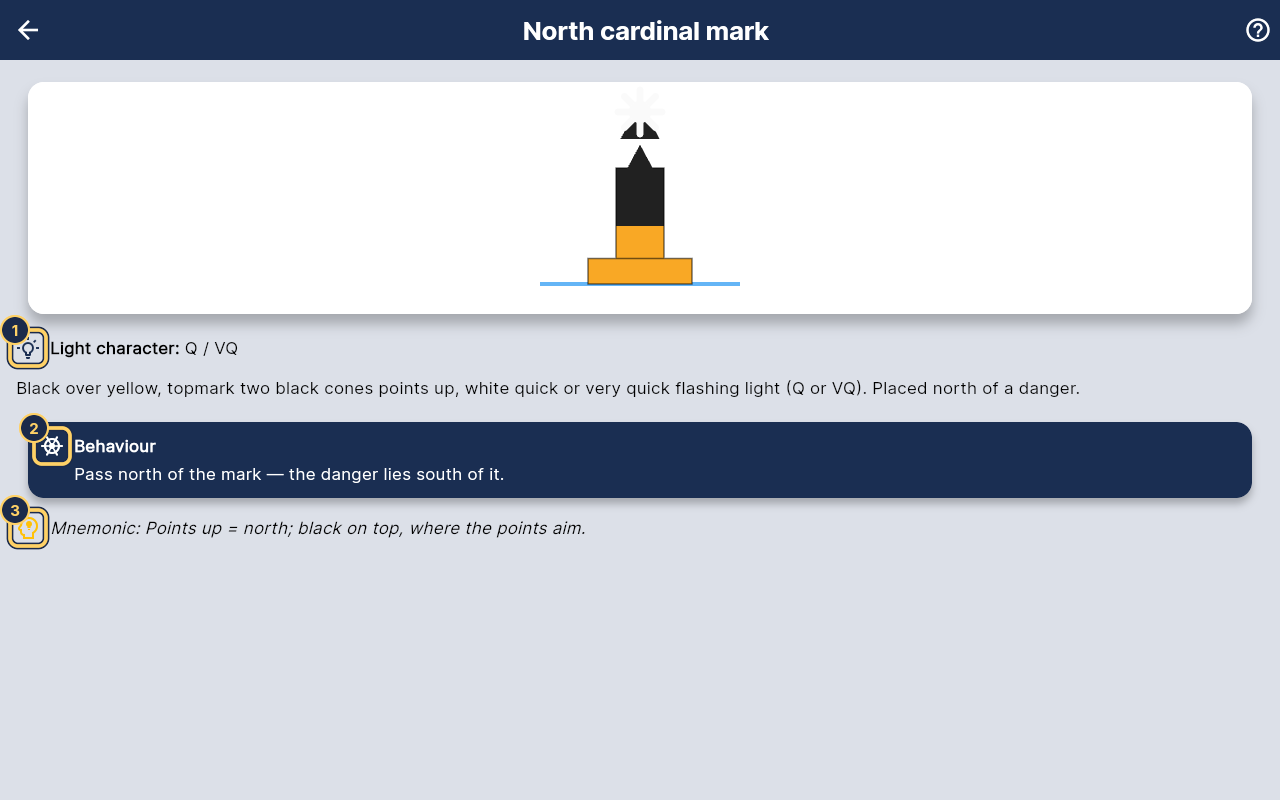
- Light character – the light of the mark
- Behaviour – how you pass the mark
- Mnemonic – memory aid to remember it by
With Search (5) you search the whole catalogue by name or light character.
Identify a seamark by photo
- Tap Photograph a seamark (6) at the bottom right.
- Take a picture of the mark with the camera or choose a picture from the gallery.
- The AI matches the picture to a mark in the catalogue and opens its detail view.
For this a model must be set up under AI model.
Identify the character of a light
If you see a light at night, you tap its rhythm and Tafiya tells you the light character.
- Choose the category Light characters and tap Identify an observed character.
- Hold the rhythm button (1) down as long as the light is on and release it in the dark phase. Repeat this for at least two full periods.
- The result appears under Identified character. With Reset (2) you start again.
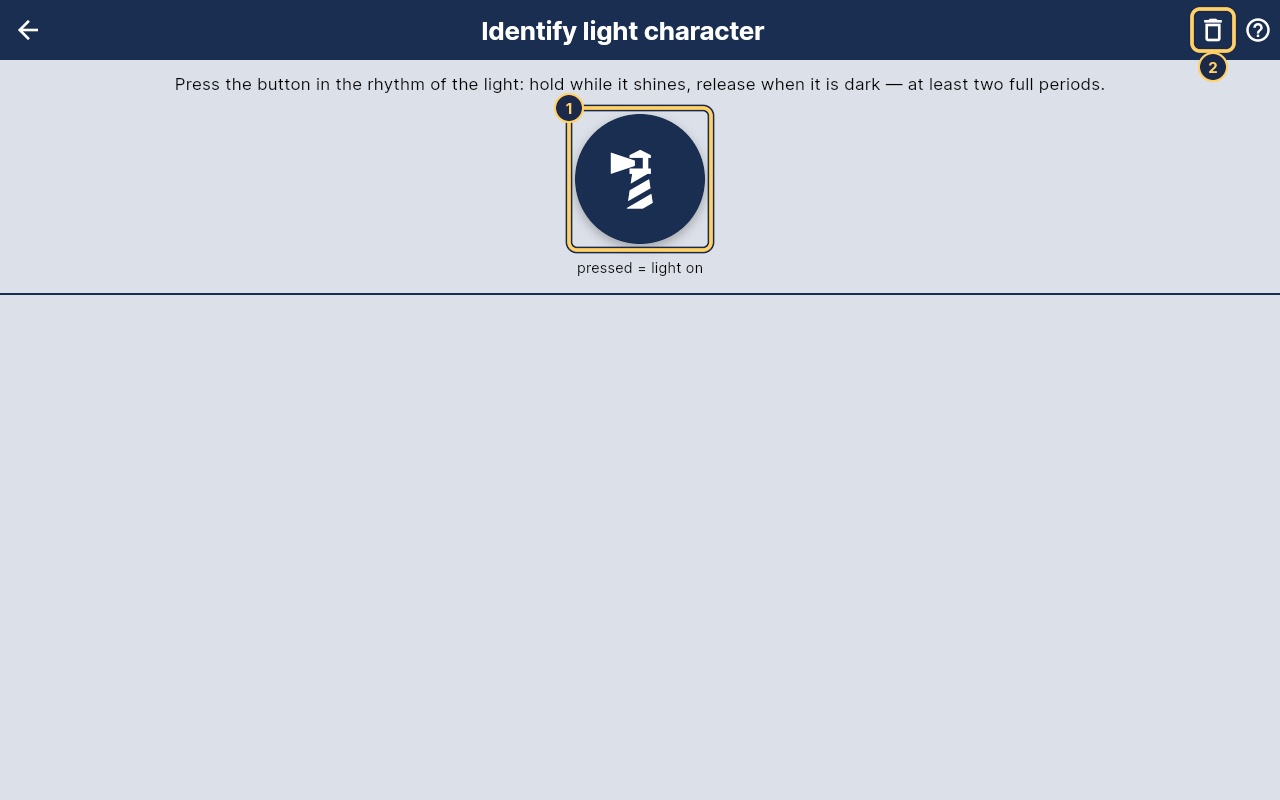
- Rhythm button – hold down as long as the light is on, release in the dark phase; at least two full periods
- Reset – discard the input and start again
If your position is known, Tafiya shows under Matching lights near you the lights with this character including distance and bearing. With Lights nearby (4) you see this list even without a character. The data come from the NGA List of Lights and OpenStreetMap and do not replace the nautical chart.
Identify a sound signal
- Choose the category Sound signals and tap Identify a heard signal.
- Tap in the sequence of sounds you heard: short (1) for a blast of about one second, prolonged (2) for four to six seconds, plus Bell (3).
- The list (6) filters itself with each sound. Tapping the match shows the meaning. With (4) you delete the last sound, with (5) the whole input.
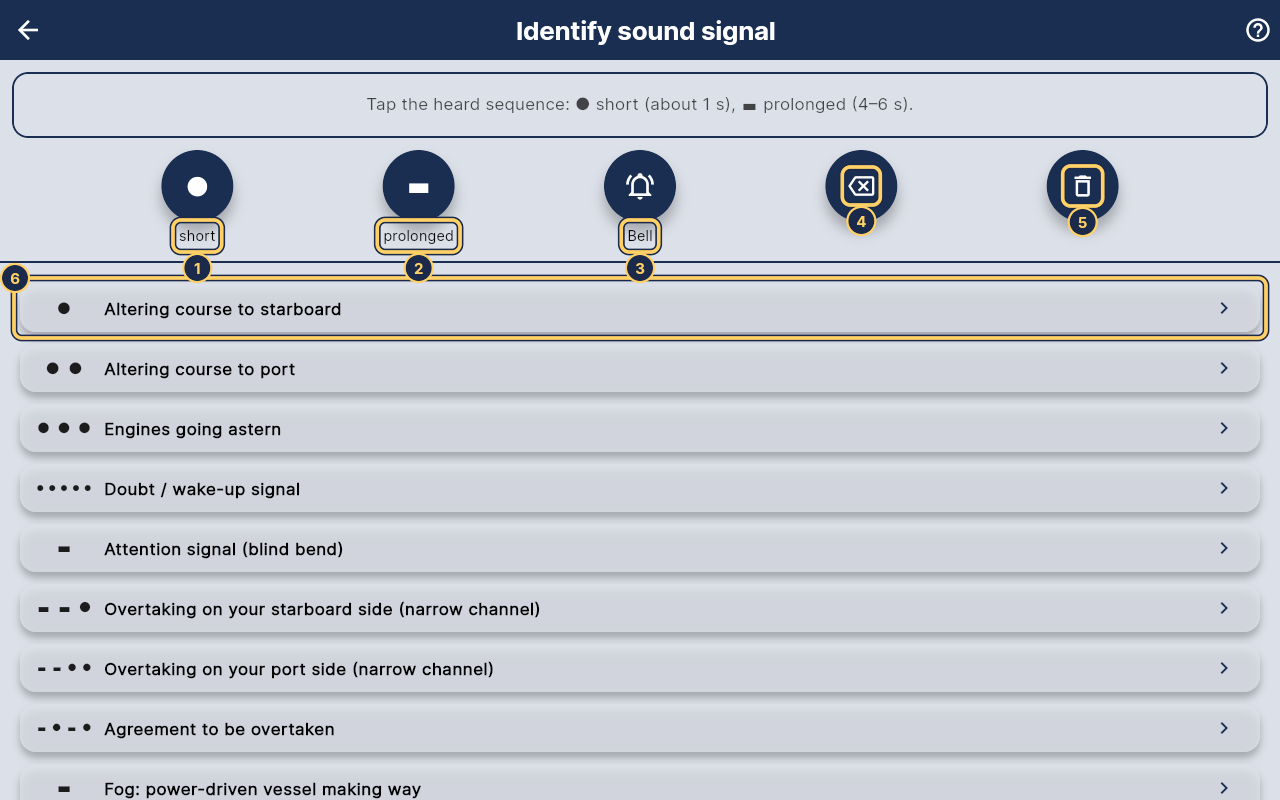
- short – a short blast (about 1 second)
- prolonged – a prolonged blast (4 to 6 seconds)
- Bell
- Delete last sound
- Clear input
- Matches – the list filters itself with each sound; a tap opens the meaning
INT1 chart symbols
- Choose the category Chart symbols.
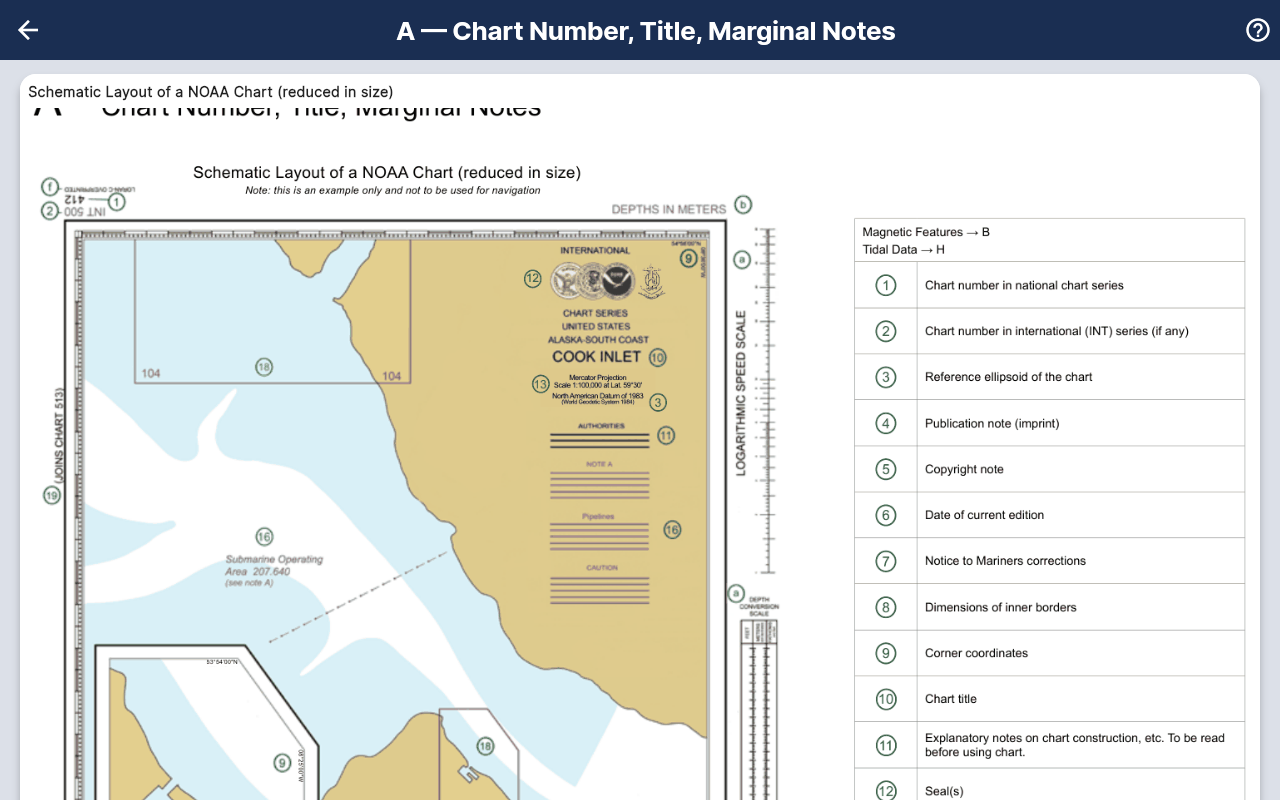
- Tap a section, for example “A: Chart Number, Title, Marginal Notes”. You see the section's plate and below it the list of the individual symbols.
- Tap a symbol for the explanation.
With Look up abbreviations in the category Chart symbols you find the meaning of the abbreviations on nautical charts.
See also
- Navigation: the catalogue can also be reached from the navigation chart.
- AI model: prerequisite for recognition by photo.