Cruise diary
In the cruise diary every crew member records their own impressions of the cruise. Tafiya adds to each entry the miles of the day from the recorded route and the weather of the day, and you add pictures from the gallery. You share finished entries on social media with a single tap.
How to get there
Open the cruise and tap the Trip diary tile in the cruise hub. Every crew member has their own diary.
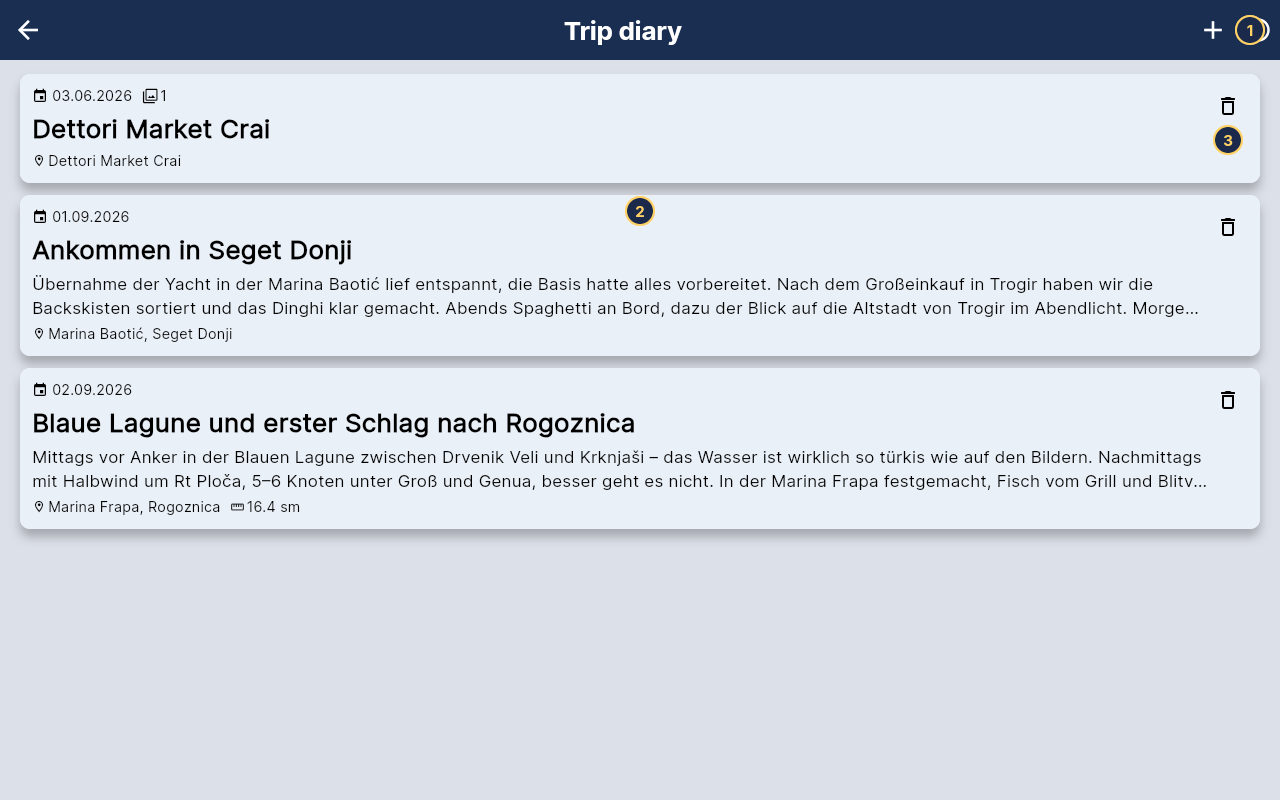
- New entry – creates an entry for today
- Entry – tap to read and edit
- Delete the entry
Create an entry
- Tap New entry (1) at the top right. The entry gets today's date; with the pencil next to the Date (1) you change it.
- Enter Title (2) and Entry (3).
- Next to Place tap Choose on map (4) and set the place on the map. Tafiya enters the place name and fetches the weather of that day at that position.
- With the back arrow at the top left you save the entry and return to the list.
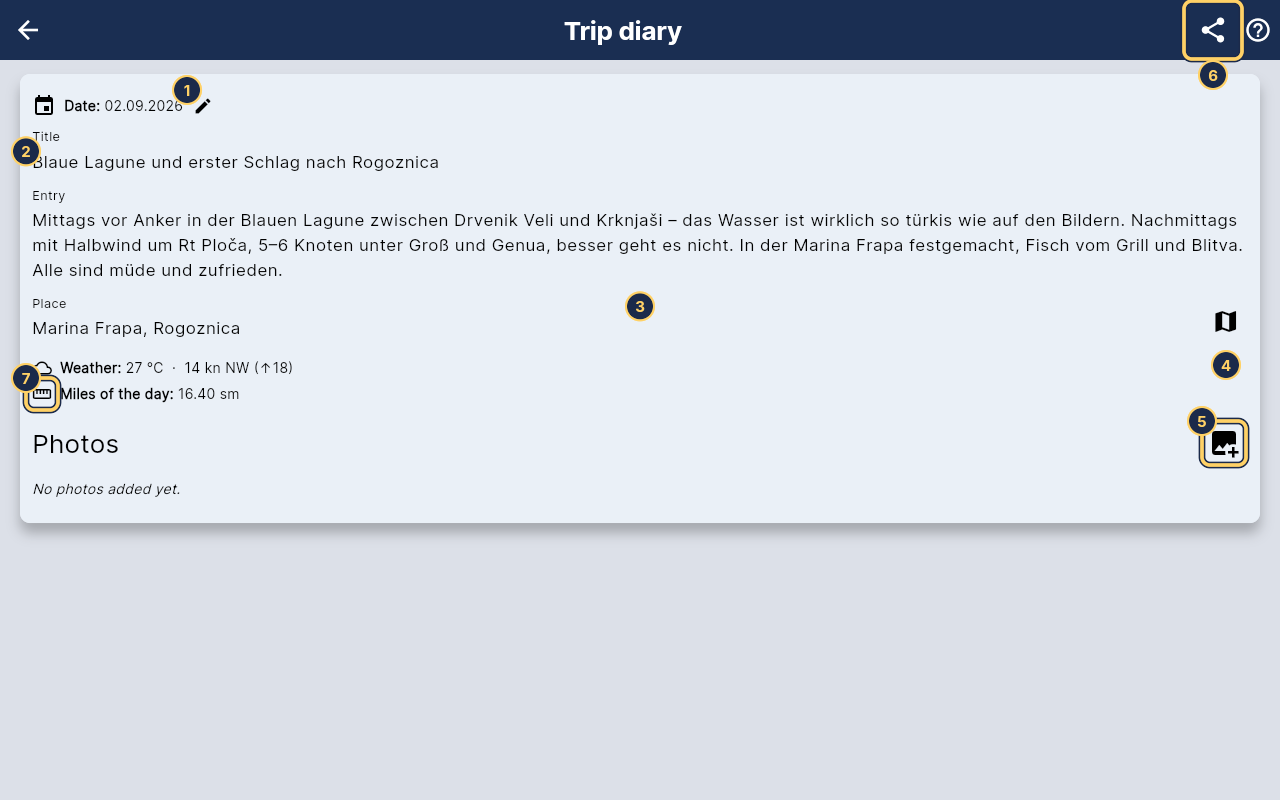
- Date – change it; miles of the day and weather are determined anew for the new day
- Title of the entry
- Entry – your text about the day
- Choose on map – sets the place and fetches the weather of that day at that position
- Photos – choose from the gallery of the cruise or upload new ones
- Share as Instagram post – creates a picture card of the entry and opens the share menu
- Miles of the day – from the routes recorded on that day
Tafiya calculates the Miles of the day from the routes the skipper recorded on that day. If you change the date, miles of the day and weather are determined anew. With the bin in the list (3) you delete an entry.
Add photos
- In the entry, tap (5) next to Photos.
- Choose Choose from gallery to take pictures from the gallery of the cruise, or Upload new for pictures from your device.
- Tapping a photo opens it large, the small cross removes it from the entry again.
Share an entry
With Share as Instagram post (6) Tafiya creates a picture card from title, text, place, weather, miles of the day and photos and opens your device's share menu. From there you send it to Instagram, WhatsApp or any other app.
See also
- Pictures: the gallery from which you take photos.
- Routes and recording: the recording the miles of the day come from.