Create a cruise
How do I create a cruise?
Only someone with skipper rights can create cruises: during the current trial period or with a purchased cruise quota. Every cruise you create uses up one cruise from the quota.
- On the home screen, tap + at the top right of the cruise list. If you lack the rights, the app shows a note.
- Give the cruise a name (1).
- Tap Start date and End date (2) and pick the days in the calendar.
- Tap Save (3) at the top right. The cruise appears in the cruise list and you are its creator.
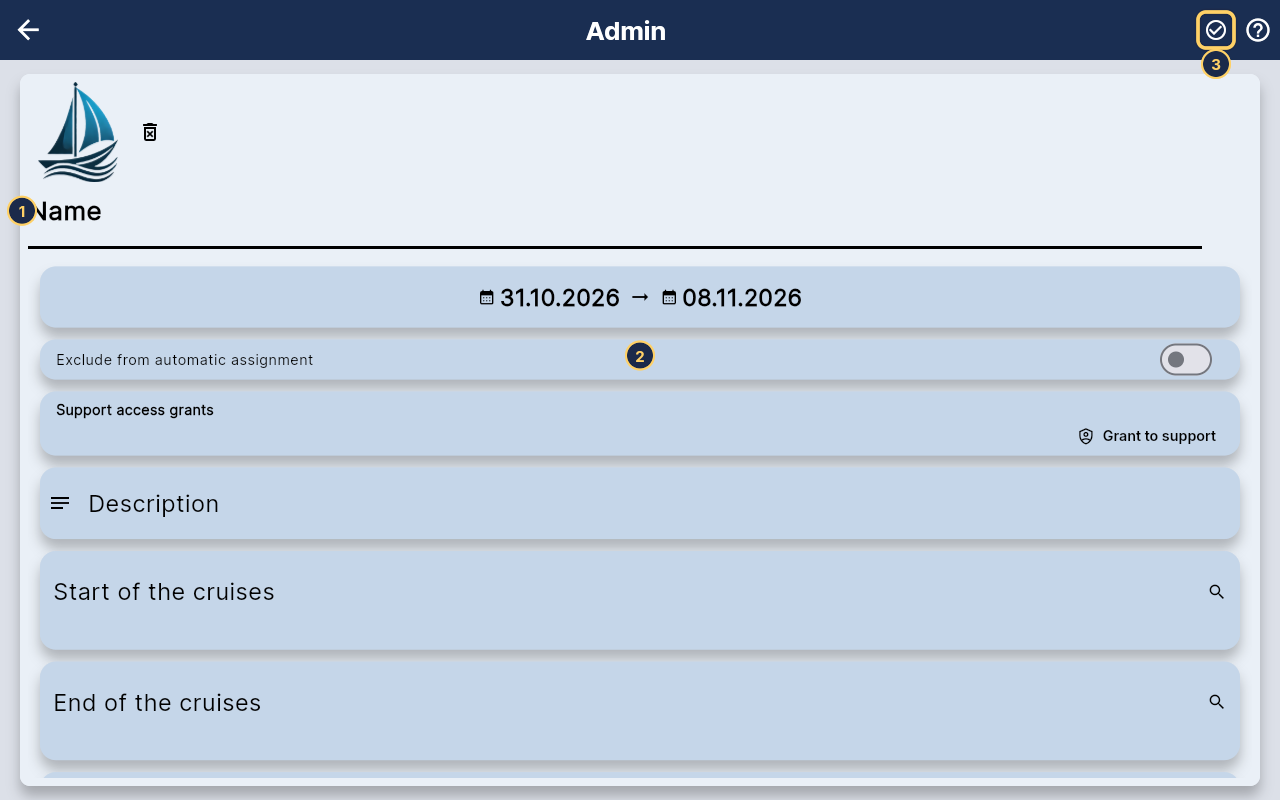
- Name of the cruise (required)
- Start date and End date – tap to open the calendar
- Save – creates the cruise; afterwards it is in the cruise list
Everything else, such as harbours, description, crew, ship and documents, you add afterwards in the cruise data. There you invite the crew by their e-mail address, see Assemble the crew.
See also
- User interface: the cruise list and the cruise hub.
- Delete a cruise