Packing list
With the packing list you forget nothing for the cruise. The skipper provides the list, you tick off what is already in the bag and add your own items. Only you see your ticks and additions.
How to get there
Open the cruise and tap the Packing list tile in the cruise hub. The tile appears as soon as you are a member of the crew. The skipper maintains the list itself under Manage packing list.
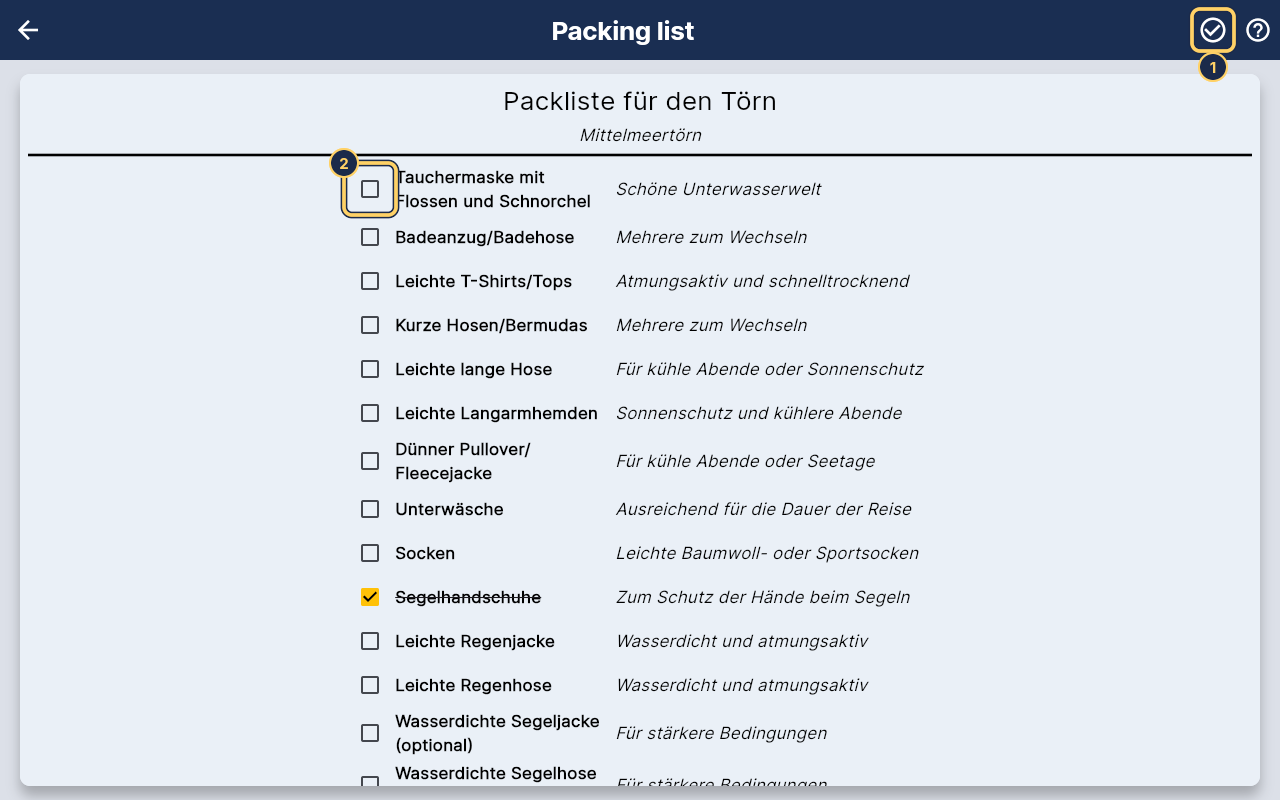
- Save – keep your ticks and additions
- Packed – tick off what is already in the bag; everyone ticks off for themselves
Tick off
- Tick off each item (2) you have packed. The row is struck through.
- Tap Save (1) at the top right.
Add your own items
Below the skipper's list is the section My additions.
- Scroll to My additions and tap Personal item (1).
- Enter the name. With a tap on Note you add a remark.
- With the bin Remove you delete one of your own items again.
- Tap Save.
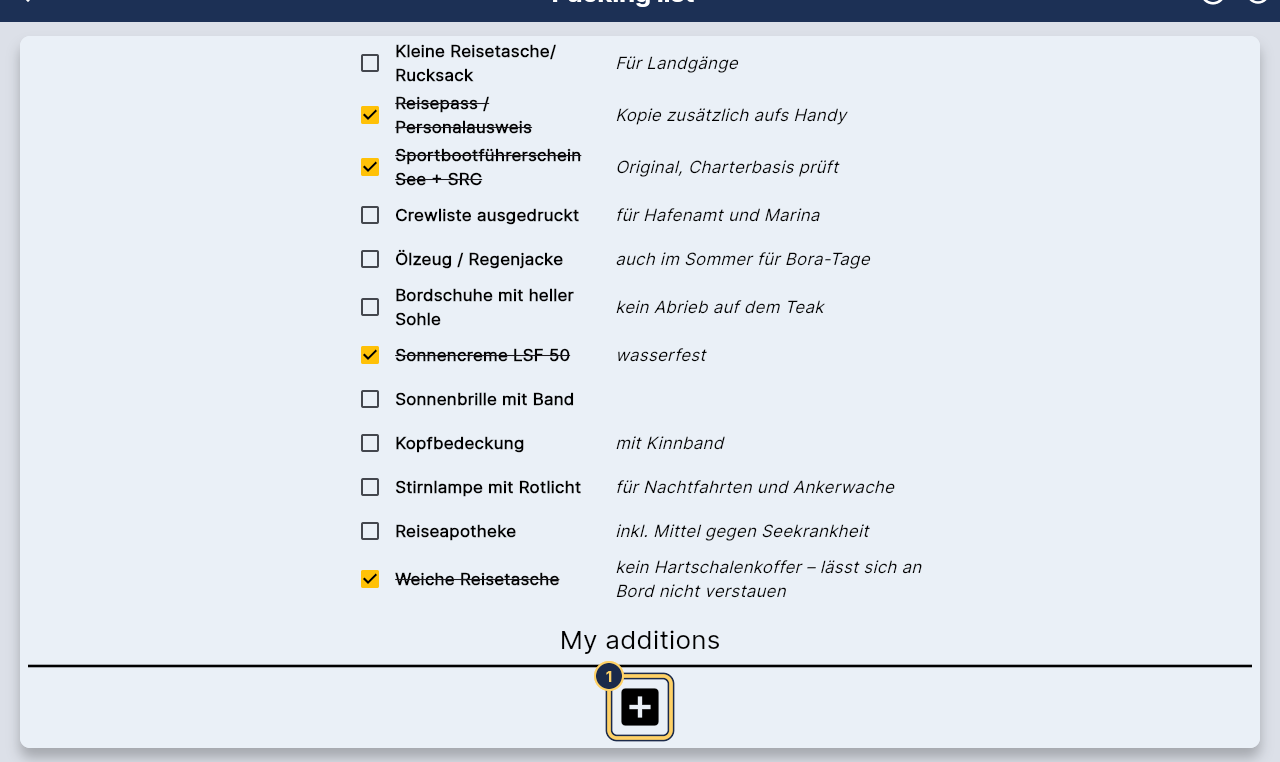
- Personal item – add an item of your own; only you see your additions
See also
- Manage packing list: create the list for the crew, also with the help of the AI.