Registration
With a Tafiya account your data is stored centrally and securely. You register once with your e-mail address and can then log in on any device. During registration you decide whether you sail along as crew or want to create your own cruises as skipper.
How to get there
Start the app and tap Register on the login screen. Registration is open to everyone.
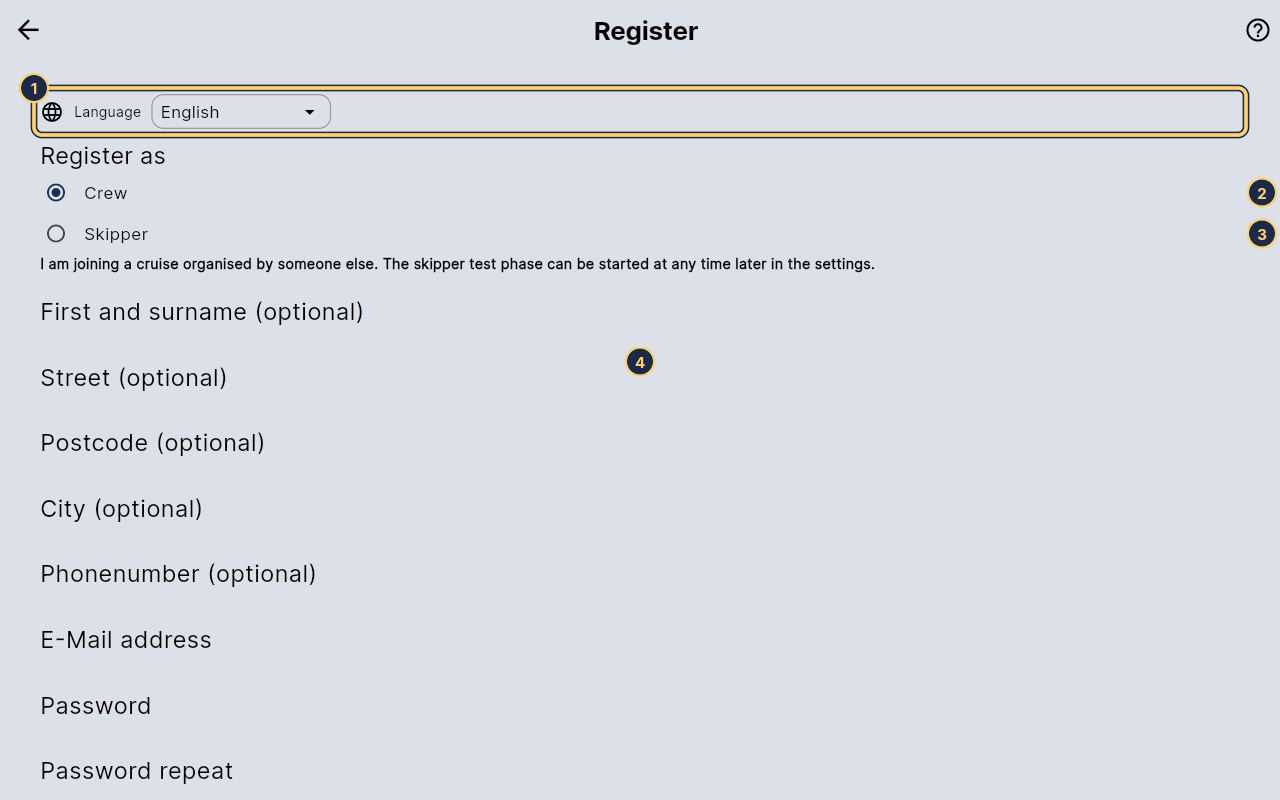
- Language of the app
- Crew – you sail along on cruises someone else organises; you can start the trial period as skipper at any time later in the settings
- Skipper – you want to create your own cruises; the free trial period (21 days) starts with the registration
- Name, address and phone – optional, appear in the crew list
Create an account
- Choose the language at the top (1). You can change it at any time later in the settings.
- Choose what you register as: Crew (2) if you sail along on other people's cruises, or Skipper (3) if you want to create your own cruises. As skipper, the free trial period of 21 days starts right with the registration.
- Enter name, address and phone if you wish (4). These details are optional and appear in the crew list.
- Scroll down to the login details.
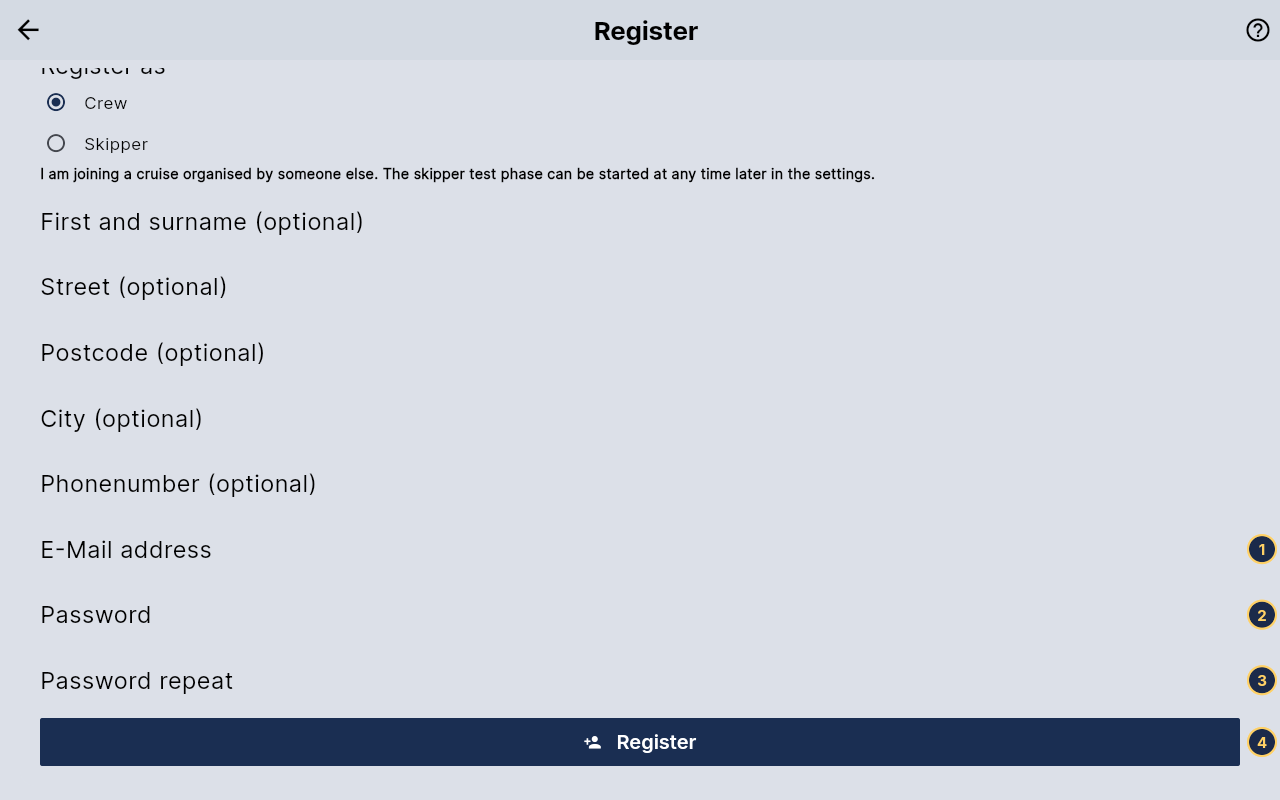
- E-mail address – required; the confirmation link goes to it and you log in with it
- Password – at least 6 characters
- Password repeat – must be exactly the same
- Register – sends the confirmation e-mail
- Enter your e-mail address (1).
- Choose a password with at least 6 characters (2) and repeat it (3).
- Tap Register (4).
You receive an e-mail with a confirmation link. The account is active only after you click the link. If you registered as skipper, the trial period runs from the confirmation. If no e-mail arrives, check the spam folder and the spelling of the address.
If a skipper has invited you to a crew by e-mail, register with exactly that address. You are then added to the crew automatically.
Permissions
On first start the app asks for access to your location and to notifications. Allow both, otherwise automatic route recording and logbook entries do not work reliably.
See also
- Login: log in with the new account.
- Activate trial period: start the trial period later with a crew account.
- Assemble the crew: how a skipper invites their crew.